An improved platform that makes LAPL's resources and
information easier for everyone to access
→ LAPL receives around 15 million visits,
but the current website is lackluster and
a maze to find new information
Date
2025
Redesigned Web Interface for Los Angeles Public Library
Role
UI / UX, Web Design
UI/UX
REDESIGN
PRODUCT
Tools
Figma, Adobe Illustrator
Information Architecture
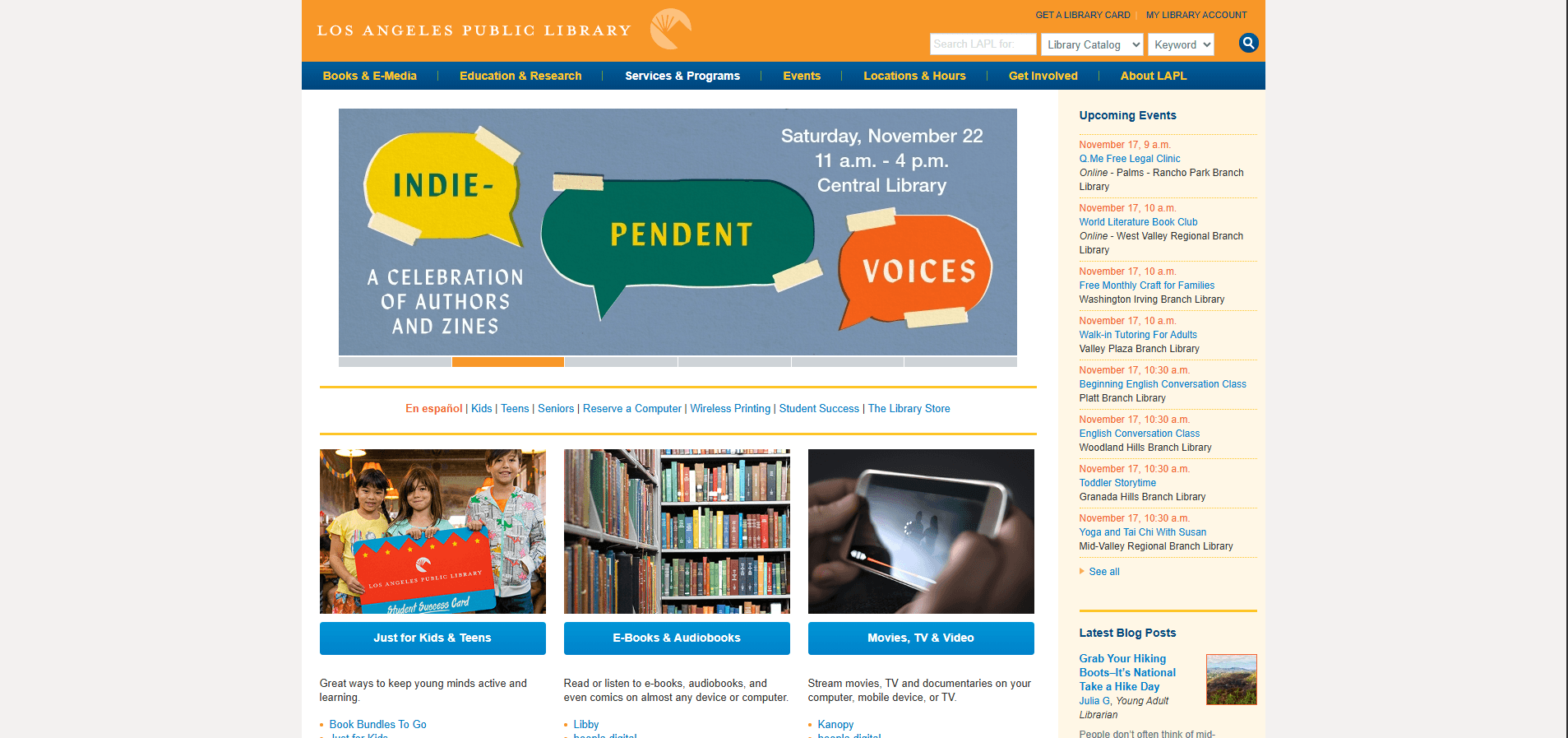
Redesigning a messy outdated catalog into a more modern webpage
that people can navigate.
Content Richness: LAPL offers tons of resources: in-person programs,
digital collection, citizenship classes, etc.
Existing Web Architecture: The structure is not entirely chaotic, which
helped in redesign.
Accessibility
Accessibility in one of the largest library systems is mandatory,
and the homepage needed to be intuitive and fully usable with
varying tech literacy
Content Strategy
Streamlined overloaded pages, clarified confusing terminology and
organized contentso people understand what the library offers
Design Skills and Challenges
Research
Wireframing
What works
Brand Identity: There is existing visual identity and design language tied
to the library that could be used as is or evolved.
Poor Prioritization: A lot of information is competing for attention so a
hierarchy is needed
Complex Navigation: Too many categories, unclear labeling, outdated web
pages that. Lack of visual signposts (icons, imagery, modularity)
Lack of Clear Search Experience: It is not obvious how to search effectively
for different resource types (book catalog, events, programs, etc.).
What doesn't
Limited Accessibility: Typographic issues and inconsistencies hinder
usability.
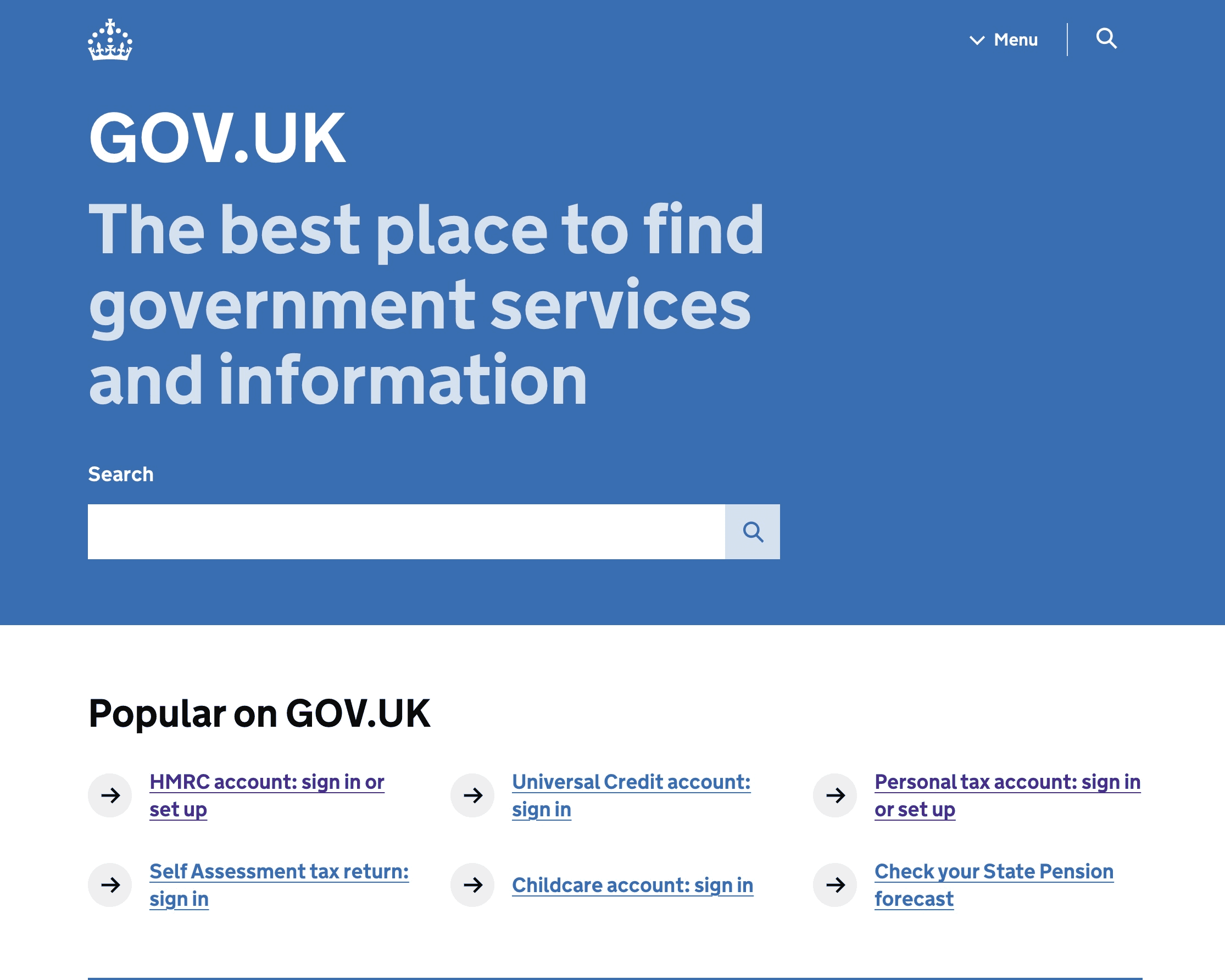
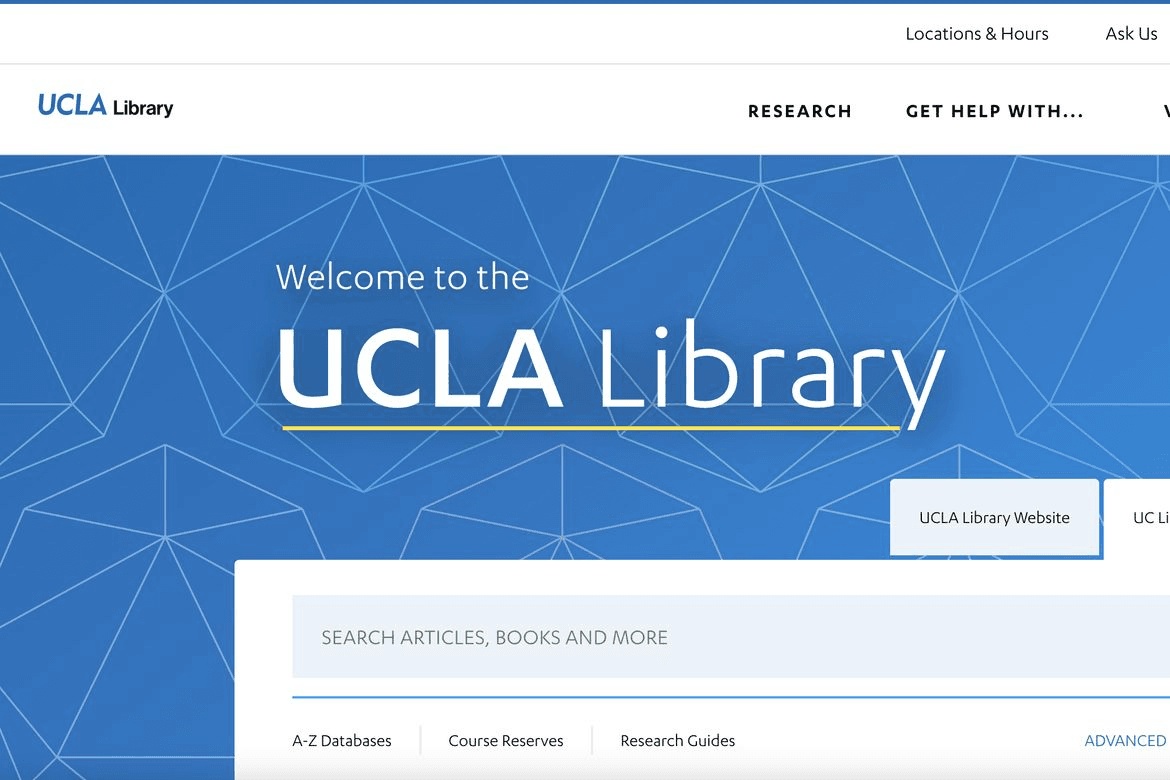
To understand the landscape of this redesign, I looked at various library websites
and how other governments handle their design systems to gather inspiration.
Understanding external expectations
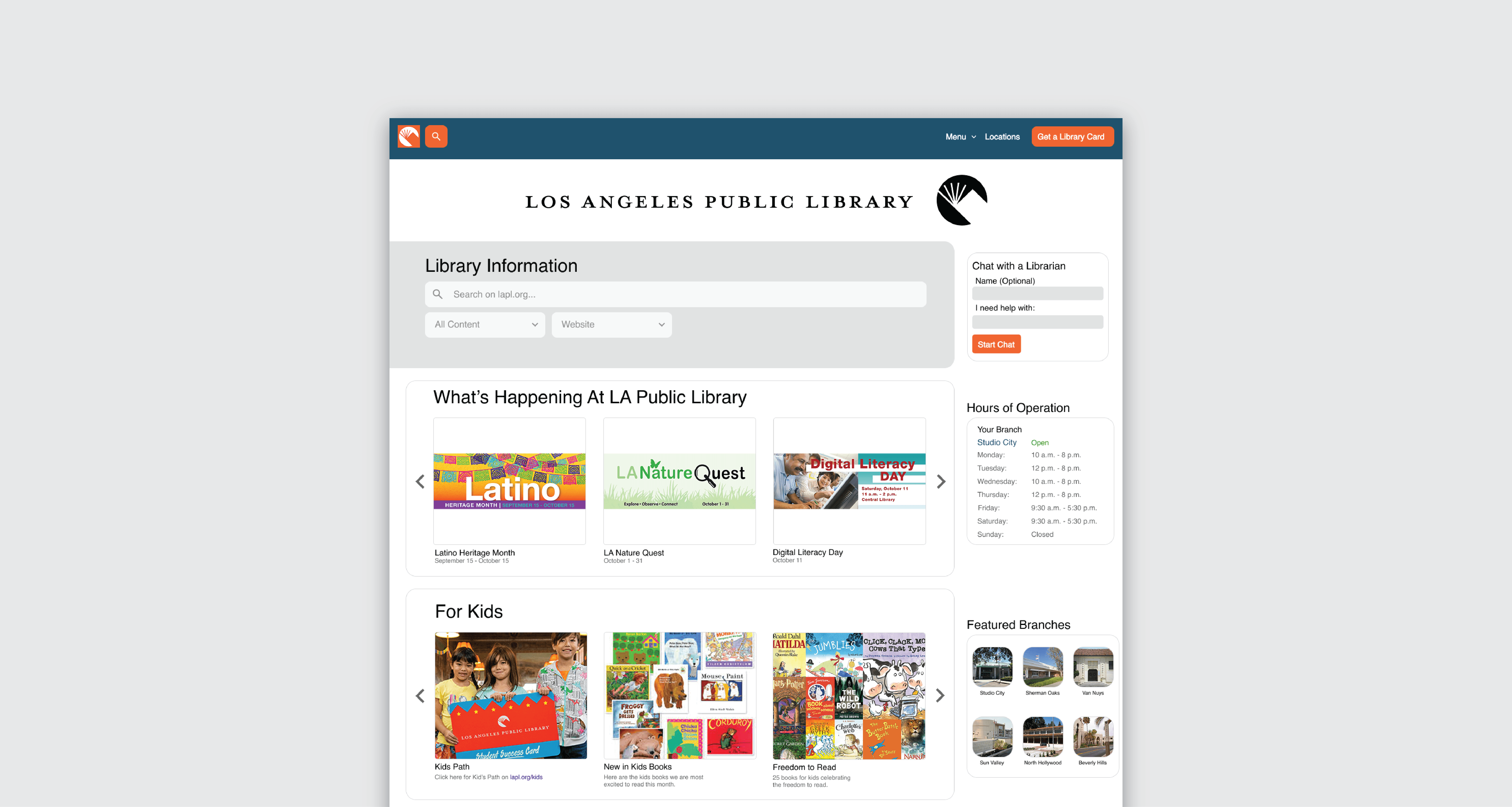
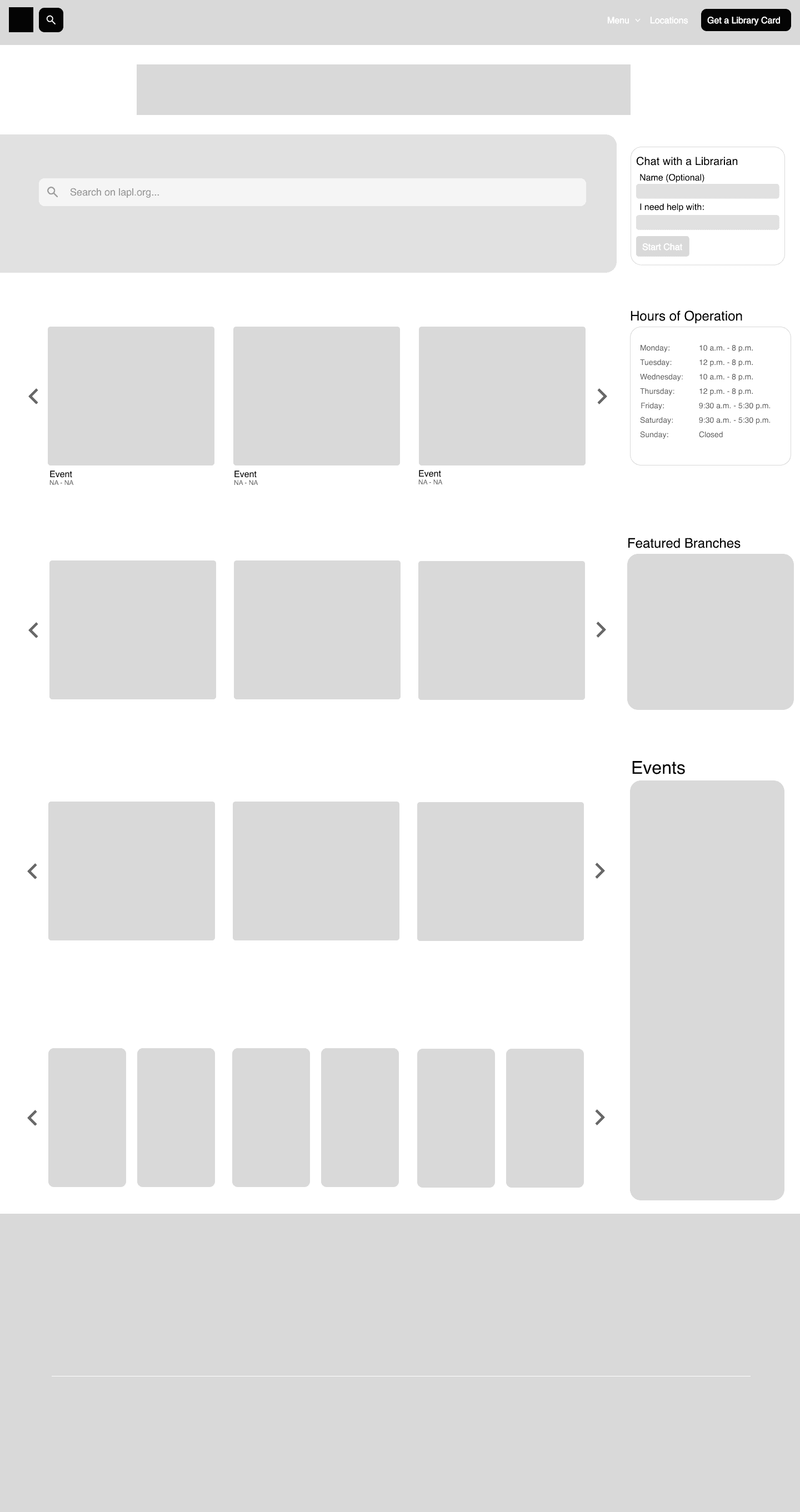
I simplified the homepage layout, prioritized key user tasks (search, events, locations, services),
and reorganized the information so users can reach all essential resources with fewer steps.
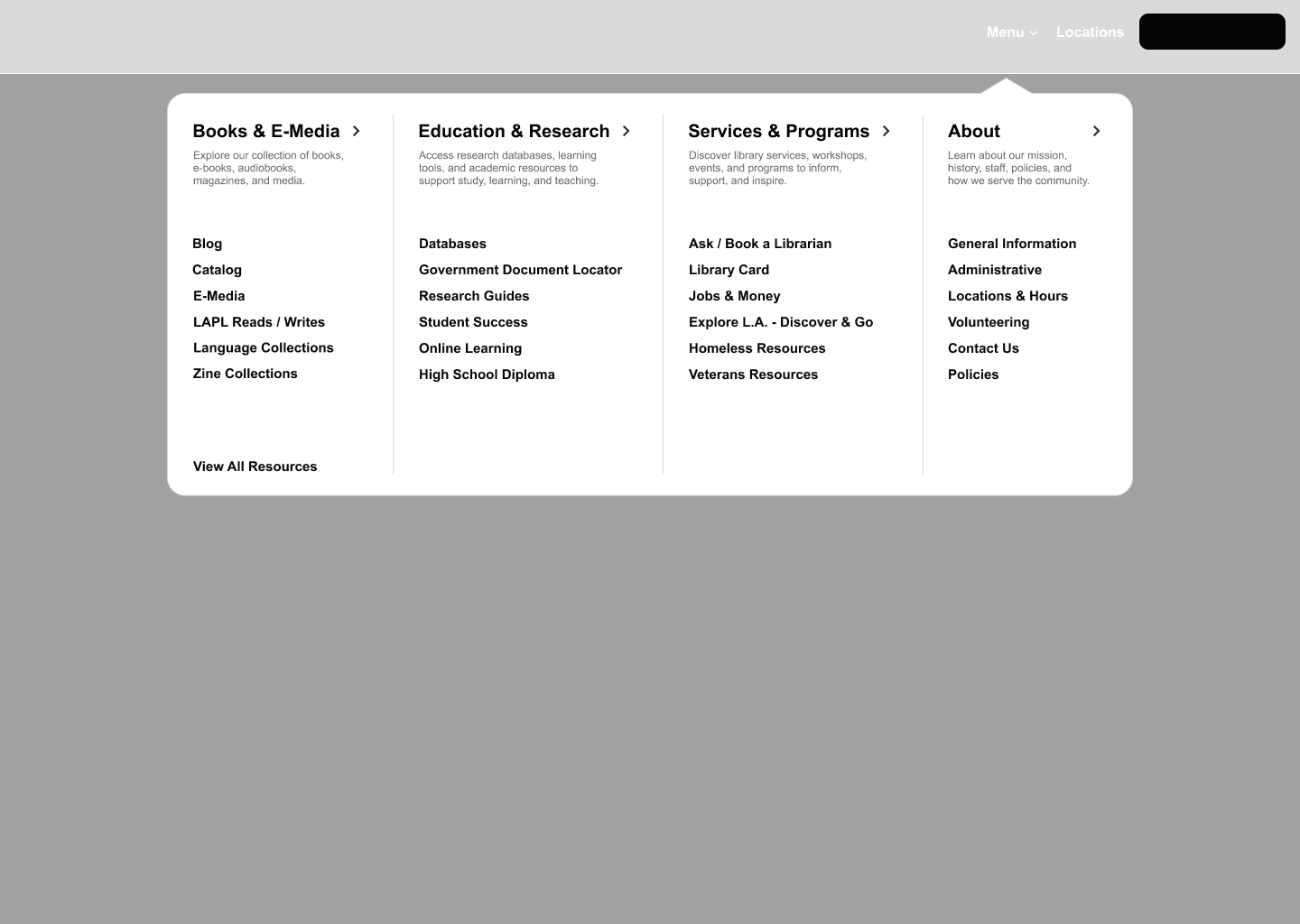
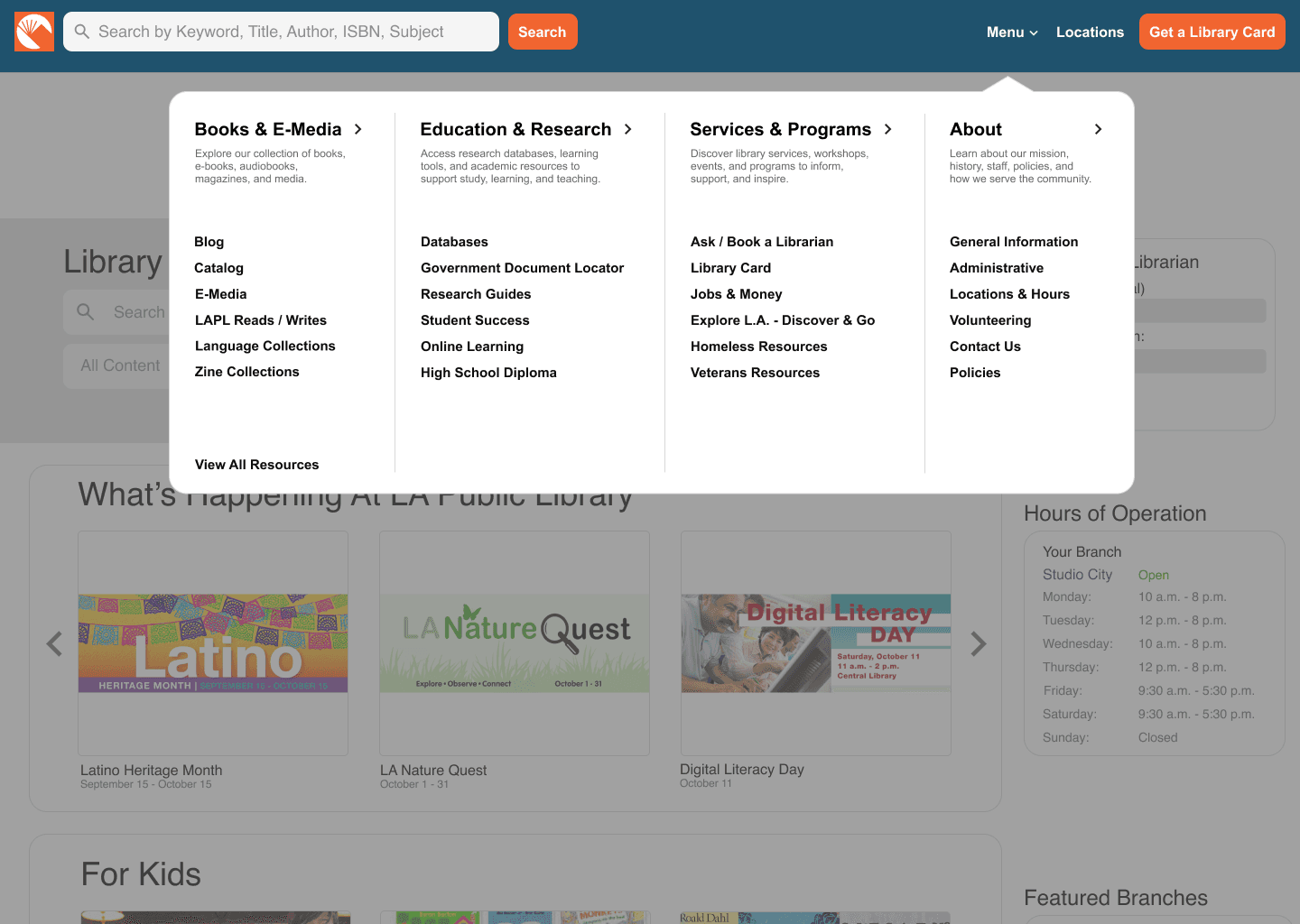
the packed header contained too much information, so I organized it into a megamenu with
more intuitive typography and layout.
Final Design
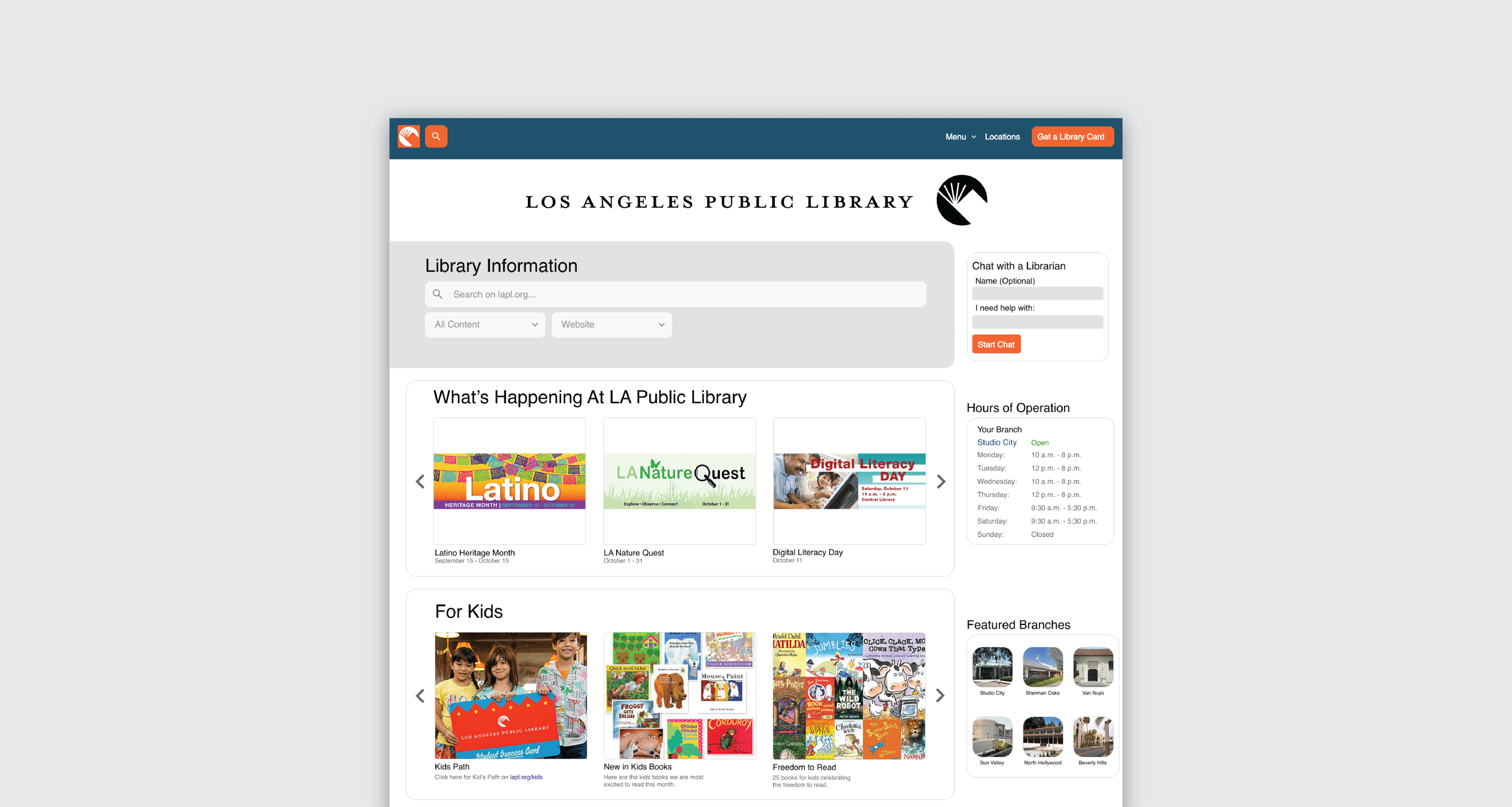
I redesigned the header to be sticky and always accessible, keeping the search bar visible without
distracting from main content. The collapsed design preserves focus while still providing quick access
to the megamenu, branch locations, and library card information, supporting seamless navigation
across the site.
I designed two complementary search experiences: the header search focuses on quick book
discovery with keyword suggestions, while the landing page search provides a broader site-wide
scope and includes contextual filters (books, events, programs) for more targeted exploration.
This dual approach balances speed for frequent tasks with flexibility for complex searches,
enhancing overall user navigation.
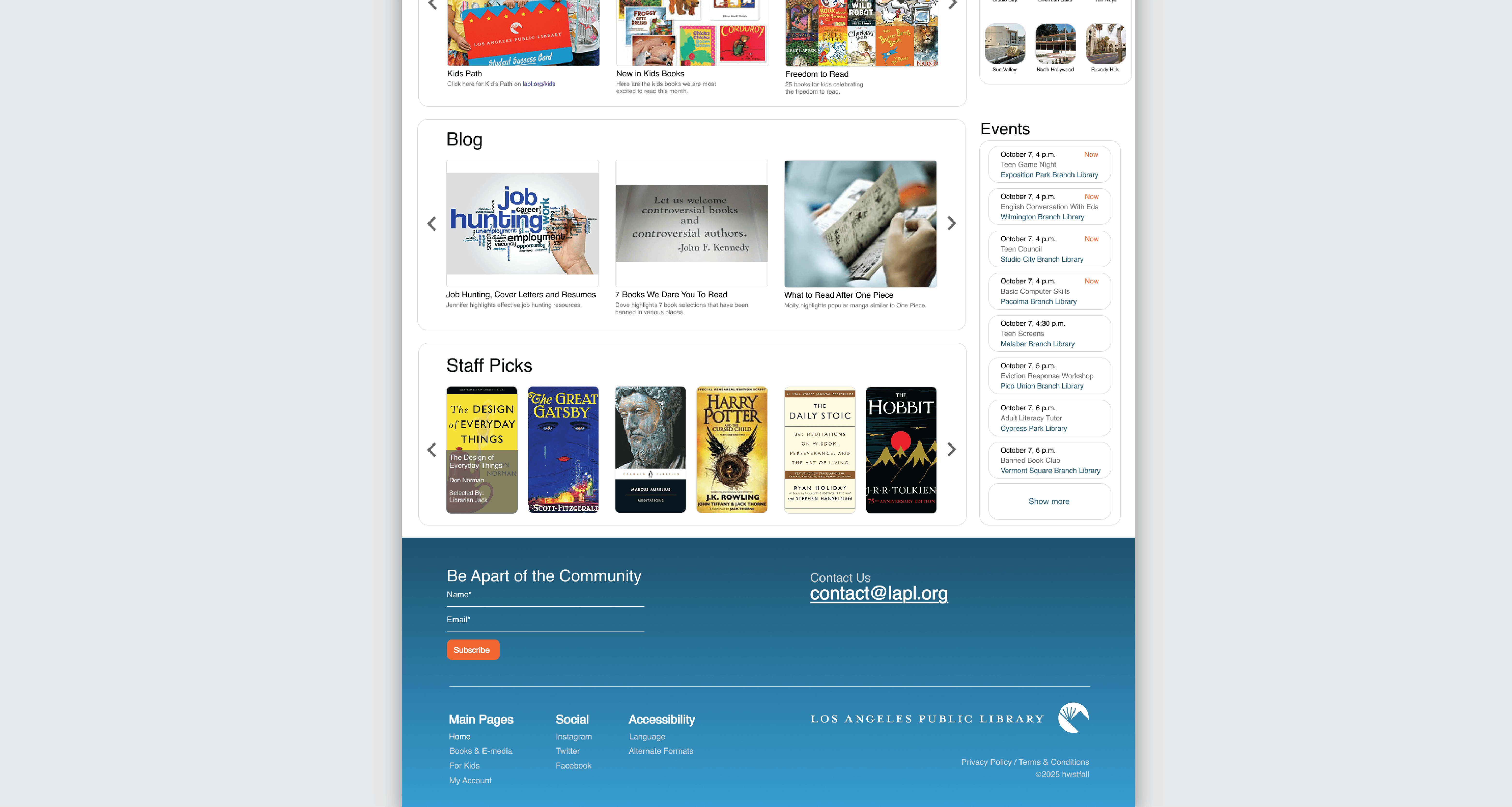
During the redesign, I considered librarians as key users, ensuring content upload is intuitive and
new content aligns with the site's structure and design. The redesign also highlights services like
Chat with a Librarian and branch hours, making essential information easily accessible to all users.

Redesigned Web
Interface for Los
Angeles Public
Library
→ LAPL receives around 15 million visits,
but the current website is lackluster and
a maze to find new information
An improved platform that
makes LAPL's resources
and information easier
for everyone to access
Date
2025
Role
UI / UX, Web Design
Tools
Figma, Adobe Illustrator
Design Skills and Challenges
Information Architecture
Redesigning a messy outdated catalog into a more modern
webpage that people can navigate
Accessibility
Accessibility in one of the largest library systems is mandatory,
and the homepage needed to be intuitive and fully usable with
varying tech literacy
Content Strategy
Streamlined overloaded pages, clarified confusing
terminology and organized content so people understand
what the library offers
Research
What works
Content Richness: LAPL offers tons of resources: in-person
programs,digital collection, citizenship classes, etc.
Existing Web Architecture: The structure is not entirely chaotic,
which helped in redesign.
Brand Identity: There is existing visual identity and design
language tied to the library that could be used as is or
evolved.
What doesn't
Complex Navigation: Too many categories, unclear labeling, outdated web
pages that. Lack of visual signposts (icons, imagery, modularity)
Lack of Clear Search Experience: It is not obvious how to search effectively
for different resource types (book catalog, events, programs, etc.).
Limited Accessibility: Typographic issues and inconsistencies hinder
usability.
Poor Prioritization: A lot of information is competing for attention so a
hierarchy is needed
Understanding external expectations
To understand the landscape of this redesign,
I looked at various library websites
and how other governments handle
their design systems to gather inspiration.
Wireframing
I simplified the homepage layout, prioritized key user tasks
(search, events, locations, services), and reorganized the
information so users can reach all essential resources
with fewer steps. the packed header contained too much
information, so I organized it into a megamenu with
more intuitive typography and layout.
Final Design
I redesigned the header to be sticky and always
accessible, keeping the search bar visible
without distracting from main content.
The collapsed design preserves focus while
still providing quick access
to the megamenu, branch locations,
and library card information, supporting
seamless navigation across the site.
I designed two complementary search
experiences: the header search focuses on
quick book discovery with keyword suggestions,
while the landing page search provides a
broader site-wide scope and includes contextual
filters (books, events, programs) for more
targeted exploration. This dual approach
balances speed for frequent tasks with
flexibility for complex searches,
enhancing overall user navigation.
During the redesign, I considered librarians as
key users, ensuring content upload is intuitive
and new content aligns with the site's structure
and design. The redesign also highlights
services like Chat with a Librarian and branch
hours, making essential information easily
accessible to all users.